Dental Payment Processing: 3 Ways to Cut the Rate
Your Practice Software Came With a Default You Never Shopped
Dental payment processing is, for most practices, whatever the practice management software set up on day one. Dentrix ships with Dentrix Pay, Eaglesoft ships with Eaglesoft Payments, and the rate that came bundled with that convenience is the rate most offices simply keep. The integration is genuinely useful — but the pricing underneath it is rarely the pricing anyone actually compared.
That gap matters more in dentistry than in most fields, because the tickets are large. A single accepted treatment plan can be several thousand dollars, and a fraction of a percent on volume like that compounds into real money across a year. The encouraging part is that almost none of this is locked: the cost is separable from the software, and there are three concrete levers to lower it without disrupting how your front desk works.
Dentrix, Eaglesoft, and Open Dental are practice management systems. The card acceptance bundled into them is a separate service with its own rate — one you can negotiate, replace, or restructure without leaving the software your team already knows.
How Each System Bundles Your Payments
The pattern is the same across the major platforms, and knowing where you sit tells you how much room you have to move. On Dentrix, the default is Dentrix Pay (Henry Schein One’s integrated product, running on Worldpay/Fiserv). On Eaglesoft, it’s Eaglesoft Payments (Patterson Dental’s integrated product). Both post card charges straight to the patient ledger automatically, which saves real staff time — and both arrive at a rate the practice almost never negotiated. And neither default is the only integrated option: third-party processors integrate with Dentrix and Eaglesoft too, posting to the ledger the same way, often at a lower rate.
Open Dental is the exception: it’s open to many processors rather than tied to one, so a practice on Open Dental can shop freely. Yet many still end up on a captive-style rate by default, simply because nobody pushed on it. Wherever you are, the deep-dive for your specific system is linked above — this page is the map; those are the turn-by-turn directions.
The rate inside Dentrix Pay or Eaglesoft Payments is what the integration came with, not what someone competed to win. With the cost bundled into the software, there’s little pressure on that rate — until you create some by checking it against an open-market benchmark.
Big Tickets Make the Rate Matter More
A few things about dentistry make the rate worth more attention than a typical retail counter. Treatment plans are high-ticket, so the percentage you pay is multiplied across large charges. A lot of payment processing is also card-not-present — balances paid online, text-to-pay, cards kept on file for treatment plans — and card-not-present transactions carry higher interchange than a card dipped at the front desk, so how you collect changes what you pay.
That ticket size is also why pricing model matters: at those volumes, interchange-plus pricing almost always beats flat-rate pricing, because flat-rate quietly takes the same percentage on a $4,000 crown case that it takes on a $40 copay, while interchange-plus shows the actual cost plus a fixed markup. On a practice running $120,000 a month in card volume — not unusual once treatment plans go on cards — even a half-point of effective rate is about $600 a month, roughly $7,200 a year, for the very same charges. That is the size of gap a bundled default rate can quietly hide. And because these are high tickets, you want a processor that underwrites practices like yours on purpose — one that knows your average ticket before it flags a large charge, not after.
The Levers That Lower Dental Payment Processing Costs
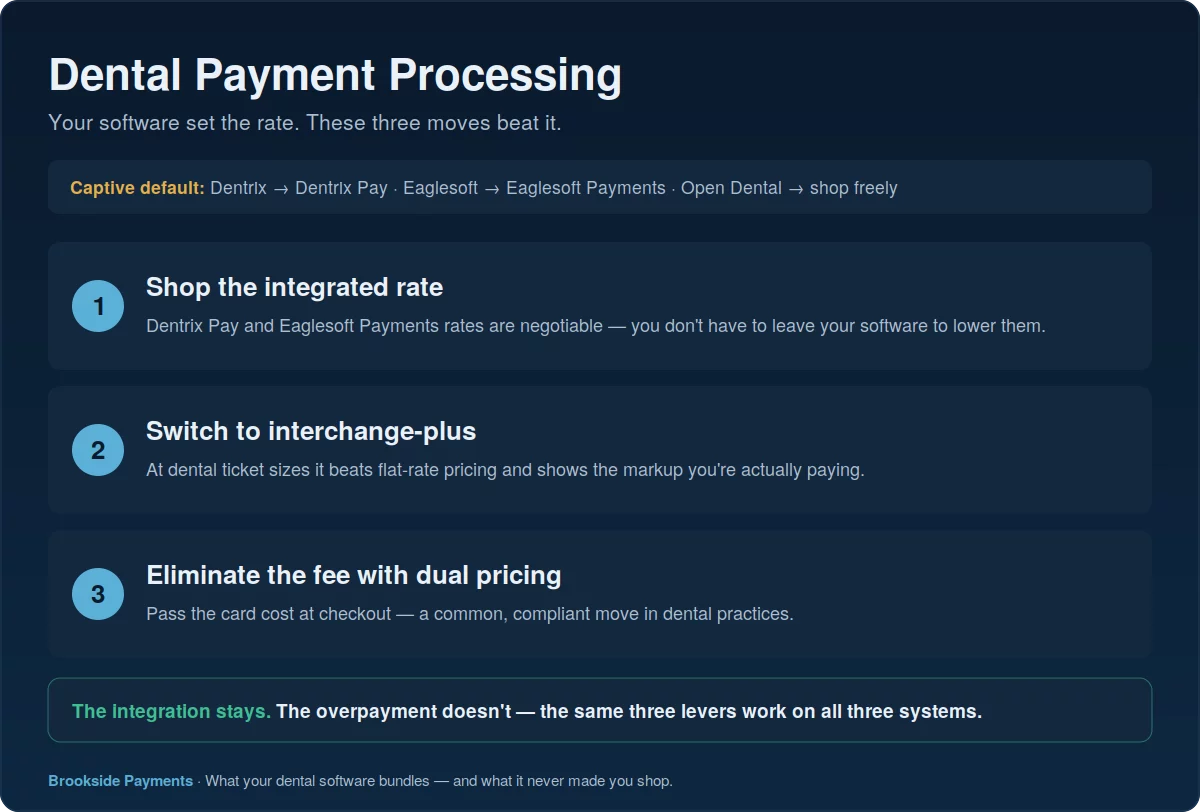
Whatever system you run, the same three moves bring the cost down — and none of them requires leaving your software:
1. Shop or negotiate the integrated rate. Dentrix Pay and Eaglesoft Payments rates are negotiable, and in many cases a third-party processor can integrate with your system at a better rate while keeping the automatic ledger posting. You do not have to choose between keeping your software and lowering your rate.
2. Move to interchange-plus. If you’re on a flat or tiered rate, switching to interchange-plus usually saves money at those ticket sizes and, just as importantly, makes the markup visible so it can’t drift upward unnoticed.
3. Eliminate the fee with dual pricing. Dual pricing passes the card cost to the patient who chooses to pay by card, while the cash or debit price stays lower — a common and compliant approach in practices that can remove the processing line almost entirely.
Dentrix, Eaglesoft, or Open Dental — the platform changes the deep-dive details, not the playbook. Shop the rate, get on interchange-plus, or pass the cost with dual pricing; the right one depends on your volume and how your patients pay.
How to Evaluate Your Dental Payment Processing
Start with one number. Pull your effective rate — total card fees divided by total card volume for a month — because that, not the rate you were quoted, is what you actually pay; here’s how to find it on your statement. Then ask three questions: was this rate ever negotiated, or is it the integrated default? Are you on interchange-plus or a flat rate? And would dual pricing fit your patient base? The answers point you straight at the lever that saves the most.
Most overpayment comes from treating the software’s bundled rate as fixed. Separate the card cost from the practice management system, learn your effective rate, and the question stops being “what does my software charge?” and becomes “which of three levers should I pull?”
Frequently Asked Questions
No. They’re the integrated default that ships with the software — convenient, but neither mandatory nor a fixed rate. You can negotiate the rate, move to a third-party processor that still integrates and posts to the ledger, or restructure with dual pricing. Open Dental is open to many processors to begin with.
At those ticket sizes, interchange-plus is usually cheaper and far more transparent. Flat-rate takes the same percentage on a multi-thousand-dollar treatment plan that it takes on a small copay, so the convenience of one simple number quietly costs more as your tickets grow.
Dual pricing is the usual route: the patient who pays by card covers the card cost, while the cash or debit price stays lower. Done correctly it’s compliant and common, and it can remove the cost line from your overhead almost entirely — the trade-off is presenting two prices at checkout.
Send Us One Statement. We’ll Tell You Which Lever Saves Your Practice the Most.
If your practice runs on Dentrix Pay, Eaglesoft Payments, or whatever your Open Dental setup defaulted to, the rate is probably the one that came with the software — not one anyone shopped. Send Brookside one recent statement and we’ll compute your real effective rate, tell you whether it’s competitive, and show which lever — negotiate, interchange-plus, or dual pricing — saves your practice the most. The read takes us about fifteen minutes. Learn more about payment processing consumer protections from the CFPB.
Check My Practice’s RateNo obligation • No pressure • Response within one business day
See what a statement review looks like →